<?xml version="1.0" encoding="utf-8"?>
<feed xmlns="http://www.w3.org/2005/Atom">
	<title type="html"><![CDATA[Форум freeduino.ru]]></title>
	<link rel="self" href="http://freeduino.ru/forum/extern.php?action=feed&amp;type=atom" />
	<updated>2016-10-18T16:31:20Z</updated>
	<generator>PunBB</generator>
	<id>http://freeduino.ru/forum/index.php</id>
		<entry>
			<title type="html"><![CDATA[LCD Keypad Shield I2C от freeduino.ru]]></title>
			<link rel="alternate" href="http://freeduino.ru/forum/viewtopic.php?id=5040&amp;action=new" />
			<summary type="html"><![CDATA[<p>Понравился мне LCD Keypad Shield I2C от freeduino.ru<br />Много полезного и удобного. Пользовался и радовался в комплекте с&nbsp; freeduino. И друзьям посоветовал. Но&nbsp; freeduino используется стационарно, для отладки использую другой-Arduino uno.&nbsp; Установил новую прогу <strong>arduino-1.6.12-windows</strong>, <strong>WIN10</strong> залил туда библиотеку из сайта MCP23xxx. Хотел пример из этой библиотеки влить, а тут мат сплошной.</p><p><em>C:\Program Files (x86)\Arduino\libraries\LiquidCrystal_MCP23x17\LiquidCrystal_MCP23x17.cpp:25:15: error: &#039;prog_uchar&#039; does not name a type</em></p><p><em> PROGMEM const prog_uchar _utf8_ru_table[] =</em></p><p><em>&nbsp; &nbsp; &nbsp; &nbsp; &nbsp; &nbsp; &nbsp; &nbsp;^<br />In file included from C:\Program Files (x86)\Arduino\hardware\arduino\avr\cores\arduino/WString.h:29:0,</em></p><p><em>&nbsp; &nbsp; &nbsp; &nbsp; &nbsp; &nbsp; &nbsp; &nbsp; &nbsp;from C:\Program Files (x86)\Arduino\hardware\arduino\avr\cores\arduino/Print.h:26,</em></p><p><em>&nbsp; &nbsp; &nbsp; &nbsp; &nbsp; &nbsp; &nbsp; &nbsp; &nbsp;from C:\Program Files (x86)\Arduino\libraries\LiquidCrystal_MCP23x17/LiquidCrystal_MCP23x17.h:11,</em></p><p><em>&nbsp; &nbsp; &nbsp; &nbsp; &nbsp; &nbsp; &nbsp; &nbsp; &nbsp;from C:\Program Files (x86)\Arduino\libraries\LiquidCrystal_MCP23x17\LiquidCrystal_MCP23x17.cpp:7:</em></p><p><em>C:\Program Files (x86)\Arduino\libraries\LiquidCrystal_MCP23x17\LiquidCrystal_MCP23x17.cpp: In member function &#039;virtual size_t LiquidCrystal_MCP23x17::write(uint8_t)&#039;:</em></p><p><em>C:\Program Files (x86)\Arduino\libraries\LiquidCrystal_MCP23x17\LiquidCrystal_MCP23x17.cpp:345:34: error: &#039;_utf8_ru_table&#039; was not declared in this scope<br />&nbsp; &nbsp; &nbsp; &nbsp;value = pgm_read_byte_near(_utf8_ru_table + _utf8_ru_hi_bit + value);<br />&nbsp; &nbsp; &nbsp; &nbsp; &nbsp; &nbsp; &nbsp; &nbsp; &nbsp; &nbsp; &nbsp; &nbsp; &nbsp; &nbsp; &nbsp; &nbsp; &nbsp;^<br />C:\Program Files (x86)\Arduino\libraries\LiquidCrystal_MCP23x17\LiquidCrystal_MCP23x17.cpp: In member function &#039;void LiquidCrystal_MCP23x17::send(uint8_t, uint8_t)&#039;:</em></p><p><em>C:\Program Files (x86)\Arduino\libraries\LiquidCrystal_MCP23x17\LiquidCrystal_MCP23x17.cpp:378:19: warning: suggest parentheses around arithmetic in operand of &#039;|&#039; [-Wparentheses]</em></p><p><em>&nbsp; &nbsp;_portA = _portA &amp; B11111001 | (mode &lt;&lt; 1); </em></p><p><em>&nbsp; &nbsp; &nbsp; &nbsp; &nbsp; &nbsp; &nbsp; &nbsp; &nbsp; &nbsp;^</em></p><p><em>C:\Program Files (x86)\Arduino\libraries\LiquidCrystal_MCP23x17\LiquidCrystal_MCP23x17.cpp: In member function &#039;void LiquidCrystal_MCP23x17::write4bits(uint8_t)&#039;:</em></p><p><em>C:\Program Files (x86)\Arduino\libraries\LiquidCrystal_MCP23x17\LiquidCrystal_MCP23x17.cpp:415:19: warning: suggest parentheses around arithmetic in operand of &#039;|&#039; [-Wparentheses]</em></p><p><em>&nbsp; &nbsp;_portA = _portA &amp; B00001111 | (value &lt;&lt; 4);</em></p><p><em>&nbsp; &nbsp; &nbsp; &nbsp; &nbsp; &nbsp; &nbsp; &nbsp; &nbsp; &nbsp;^</em></p><p><em>C:\Program Files (x86)\Arduino\libraries\LiquidCrystal_MCP23x17\LiquidCrystal_MCP23x17.cpp: In member function &#039;void LiquidCrystal_MCP23x17::Backlight(uint8_t)&#039;:</em></p><p><em>C:\Program Files (x86)\Arduino\libraries\LiquidCrystal_MCP23x17\LiquidCrystal_MCP23x17.cpp:438:19: warning: suggest parentheses around arithmetic in operand of &#039;|&#039; [-Wparentheses]</em></p><p><em>&nbsp; &nbsp;_portA = _portA &amp; B11111110 | state;</em></p><p><em>&nbsp; &nbsp; &nbsp; &nbsp; &nbsp; &nbsp; &nbsp; &nbsp; &nbsp; &nbsp;^</em></p><p>А как править то? Ни одна программа-пример LCD Keypad Shield не идет. Может ни у кого нет таких проблем или не пользуются этим шилдом. В него и стандартная библиотека не шьется. А вообще удобная штука была.</p>]]></summary>
			<author>
				<name><![CDATA[sciencefree]]></name>
				<uri>http://freeduino.ru/forum/profile.php?id=24963</uri>
			</author>
			<updated>2016-10-18T16:31:20Z</updated>
			<id>http://freeduino.ru/forum/viewtopic.php?id=5040&amp;action=new</id>
		</entry>
		<entry>
			<title type="html"><![CDATA[MotorShield v3 vs Tone]]></title>
			<link rel="alternate" href="http://freeduino.ru/forum/viewtopic.php?id=5039&amp;action=new" />
			<summary type="html"><![CDATA[<p>Скорее всего, разумеется, я где-то чего-то напутал, но тем не менее...</p><p>Итак. Имеем бота для работы которого используются все 4 выхода на двигатели постоянного тока. Бот при работе должен время от времени жужжать. </p><p>Что делаю я: я использую tone, в качестве выходного пина которой использую цифровой №2 - половина двигателей (М1 и М2) перестают работать,&nbsp; а другие (М3 и М4) как ни в чем не бывало прокручивают свои валы в требуемом направлении. </p><br /><p>Что может мешать совместной работе tone и MotorShield v3? Как уменьшить кривизну рук или увеличить высоту их крепления к телу?</p>]]></summary>
			<author>
				<name><![CDATA[paul-zs256]]></name>
				<uri>http://freeduino.ru/forum/profile.php?id=106</uri>
			</author>
			<updated>2015-03-18T02:07:53Z</updated>
			<id>http://freeduino.ru/forum/viewtopic.php?id=5039&amp;action=new</id>
		</entry>
		<entry>
			<title type="html"><![CDATA[Вопрос по Motor Shield v3]]></title>
			<link rel="alternate" href="http://freeduino.ru/forum/viewtopic.php?id=5038&amp;action=new" />
			<summary type="html"><![CDATA[<p>Доброго время суток . Можно ли&nbsp; управлять Motor Shield v3 2 обычными движками и 2 шаговыми движками с помощью переменного сопротивления . То есть на каждый двигатель свой переменик. Если быть точнее, то если повернуть в право то он будет крутиться в право, если сильней повернуть то он быстрей крутиться будет. Если да, то сколько будет стоить чтоб сделали это вы ? мозги хочу взять Freeduino Nano v5</p>]]></summary>
			<author>
				<name><![CDATA[Егор]]></name>
				<uri>http://freeduino.ru/forum/profile.php?id=25032</uri>
			</author>
			<updated>2015-02-10T10:13:16Z</updated>
			<id>http://freeduino.ru/forum/viewtopic.php?id=5038&amp;action=new</id>
		</entry>
		<entry>
			<title type="html"><![CDATA[Java приложение для ардуино на андройд]]></title>
			<link rel="alternate" href="http://freeduino.ru/forum/viewtopic.php?id=5037&amp;action=new" />
			<summary type="html"><![CDATA[<p>Добрый день! Подскажите столкнулся с такой проблемой -<br />Есть приложение Java, которое необходимо использовать на (планшете - андройде).<br />В Виндаусе оно открывается и прекрасно функционирует. Подскажите пути решения данной задачи<br />либо необходимо перепрограммирование, либо установка возможна каких нибудь эмуляторов на планшет... <br /><a href="https://github.com/MarginallyClever/Makelangelo/">https://github.com/MarginallyClever/Makelangelo/</a></p>]]></summary>
			<author>
				<name><![CDATA[artclonic]]></name>
				<uri>http://freeduino.ru/forum/profile.php?id=25028</uri>
			</author>
			<updated>2015-01-21T11:44:29Z</updated>
			<id>http://freeduino.ru/forum/viewtopic.php?id=5037&amp;action=new</id>
		</entry>
		<entry>
			<title type="html"><![CDATA[вывести информацию на дисплей]]></title>
			<link rel="alternate" href="http://freeduino.ru/forum/viewtopic.php?id=5036&amp;action=new" />
			<summary type="html"><![CDATA[<p>Доброго времени суток, Уважаемые Форумчане.<br />Имею плату Freeduino Through-Hole + LCD Keypad Shield+дисплей все от фридуино. Недавно начал копать, и наткнулся на такую проблему. Получаю строку из компьютера по последовательному интерфейсу следующего вида, первый символ - команда, остальные - параметры (в том числе параметры и текстовые, для вывода на дисплей). И вот тут проблема, если передаю текст английскими буквами, то на дисплей выводится все как надо, а вот русские не выводятся. Как можно вывести русские символы из буфера последовательного порта??? Библиотека вывода на экран используется LiquidCrystal_MCP23x17<br />Небольшой отрывок программы:<br /></p><div class="codebox"><pre><code>  if (val==&#039;p&#039;) { //обработка команды
      lcd.setCursor(0, 1);
      lcd.print(&quot;Отправляем&quot;);
      delay(500);
      lcd.setCursor (0, 1);
      do {
        Mess = Serial.read(); //читаем из буфера
        Serial.write(Mess); //пишем в последовательный порт
        lcd.setCursor (15, 1);
        lcd.write(int(Mess); //выводим на экран
        delay(200);
      } while (Serial.available() &gt;0);
      delay(500);
      lcd.setCursor(0, 1);
      lcd.print(&quot;                &quot;);
    }</code></pre></div>]]></summary>
			<author>
				<name><![CDATA[troun]]></name>
				<uri>http://freeduino.ru/forum/profile.php?id=25025</uri>
			</author>
			<updated>2014-12-27T14:34:13Z</updated>
			<id>http://freeduino.ru/forum/viewtopic.php?id=5036&amp;action=new</id>
		</entry>
		<entry>
			<title type="html"><![CDATA[Motor Shield v3 поставить 2 на одну Ардуинку]]></title>
			<link rel="alternate" href="http://freeduino.ru/forum/viewtopic.php?id=5035&amp;action=new" />
			<summary type="html"><![CDATA[<p>Возможно ли такое?<br />Хотелось бы управлять 4мя шаговыми двигателями...</p>]]></summary>
			<author>
				<name><![CDATA[Львенок]]></name>
				<uri>http://freeduino.ru/forum/profile.php?id=25024</uri>
			</author>
			<updated>2014-12-22T15:58:29Z</updated>
			<id>http://freeduino.ru/forum/viewtopic.php?id=5035&amp;action=new</id>
		</entry>
		<entry>
			<title type="html"><![CDATA[Сборка Motor Shield v3]]></title>
			<link rel="alternate" href="http://freeduino.ru/forum/viewtopic.php?id=5034&amp;action=new" />
			<summary type="html"><![CDATA[<p>Привет всем!<br />Приобрел некоторое время назад пустую печатку Motor Shield v3. И вот дошли руки до сборки. На фотографии собранного модуля видно десяток резисторов, а на схеме их только два. По фотографии на сайте номиналы резисторов не разобрать.<br />Большая просьба к владельцам Motor Shield v3, выложите пожалуйста фотографию модуля в высоком разрешении, чтобы номиналы резисторов читались.</p>]]></summary>
			<author>
				<name><![CDATA[Anwi]]></name>
				<uri>http://freeduino.ru/forum/profile.php?id=47</uri>
			</author>
			<updated>2014-11-03T14:57:48Z</updated>
			<id>http://freeduino.ru/forum/viewtopic.php?id=5034&amp;action=new</id>
		</entry>
		<entry>
			<title type="html"><![CDATA[Arduino + Лампа]]></title>
			<link rel="alternate" href="http://freeduino.ru/forum/viewtopic.php?id=5033&amp;action=new" />
			<summary type="html"><![CDATA[<p>1. Arduino UNO<br />2. Bluetooth HC-05<br />3. Breakboard доска<br />4. Реле восьмиканальный<br />5. Лампа обычная 220.<br /><span class="postimg"><img src="http://cs618829.vk.me/v618829309/16072/jUb36jrQsmY.jpg" alt="http://cs618829.vk.me/v618829309/16072/jUb36jrQsmY.jpg" /></span><br /><a href="https://www.youtube.com/watch?v=CNlZ92Aa9CU">https://www.youtube.com/watch?v=CNlZ92Aa9CU</a> Видео<br /><a href="http://www.robohome.kz/%D1%84%D0%BE%D1%80%D1%83%D0%BC/">http://www.robohome.kz/%D1%84%D0%BE%D1%80%D1%83%D0%BC/</a> Форум<br /><a href="http://www.robohome.kz">www.robohome.kz</a> Сайт</p>]]></summary>
			<author>
				<name><![CDATA[Sayan_1995]]></name>
				<uri>http://freeduino.ru/forum/profile.php?id=25021</uri>
			</author>
			<updated>2014-10-09T06:38:24Z</updated>
			<id>http://freeduino.ru/forum/viewtopic.php?id=5033&amp;action=new</id>
		</entry>
		<entry>
			<title type="html"><![CDATA[Полосы Arduino UNO + 2.4 tft lcd touch shield (China)]]></title>
			<link rel="alternate" href="http://freeduino.ru/forum/viewtopic.php?id=5032&amp;action=new" />
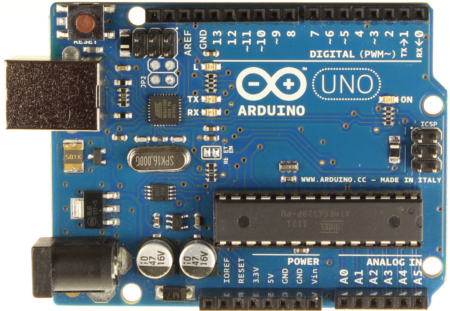
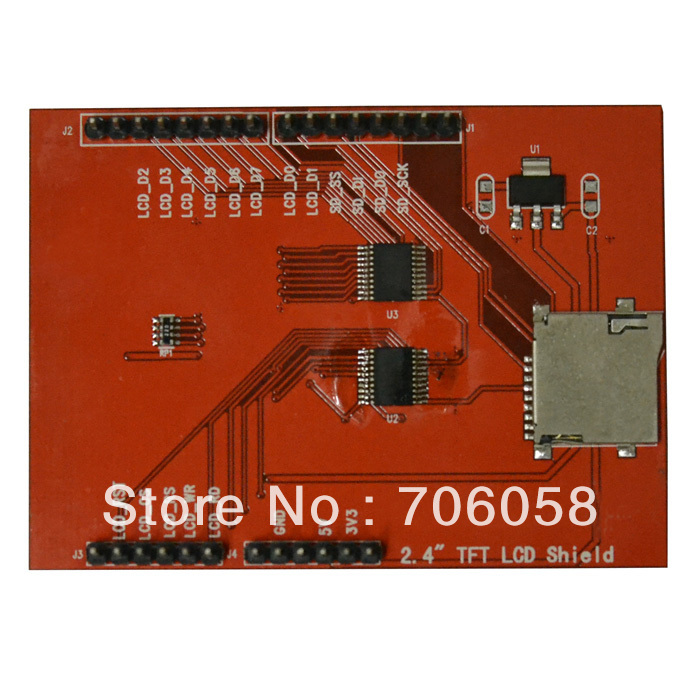
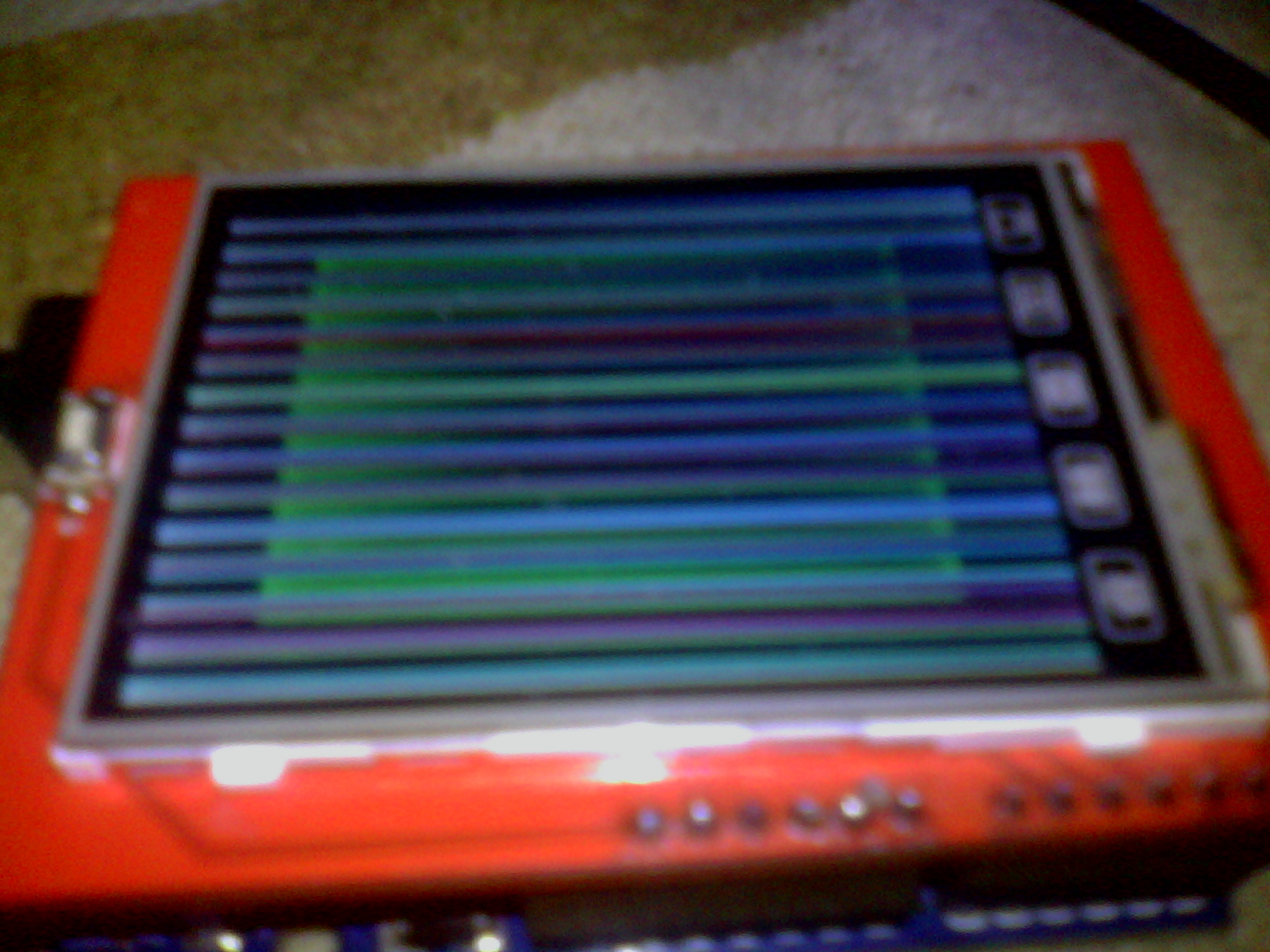
			<summary type="html"><![CDATA[<p>Здразьте<br />Помогите пожалуйста.<br />Имеется констуктор Arduino UNO (China)</p><p><a href="http://fastpic.ru/"><span class="postimg"><img src="http://i63.fastpic.ru/big/2014/0829/86/5da13fdf05acd0e2f0752674eeb36e86.jpg" alt="http://i63.fastpic.ru/big/2014/0829/86/5da13fdf05acd0e2f0752674eeb36e86.jpg" /></span></a></p><p>и 2.4 tft lcd touch shield (China)</p><p><a href="http://fastpic.ru/"><span class="postimg"><img src="http://i68.fastpic.ru/big/2014/0829/e9/1bb06414abfae926ae3c14c6c91386e9.jpg" alt="http://i68.fastpic.ru/big/2014/0829/e9/1bb06414abfae926ae3c14c6c91386e9.jpg" /></span></a></p><p><a href="http://fastpic.ru/"><span class="postimg"><img src="http://i63.fastpic.ru/big/2014/0829/a0/6179a4af1823b08bfff44735526326a0.jpg" alt="http://i63.fastpic.ru/big/2014/0829/a0/6179a4af1823b08bfff44735526326a0.jpg" /></span></a></p><p>ИМЕЮ КОД:</p><p>#define LCD_CS A3&nbsp; &nbsp; <br />#define LCD_CD A2&nbsp; &nbsp; <br />#define LCD_WR A1&nbsp; &nbsp;<br />#define LCD_RD A0&nbsp; &nbsp; <br />// you can also just connect RESET to the arduino RESET pin<br />#define LCD_RESET A4<br />//Duemilanove/Diecimila/UNO/etc (&#039;168 and &#039;328 chips) microcontoller:<br />// Color definitions<br />#define&nbsp; &nbsp; BLACK&nbsp; &nbsp; &nbsp; &nbsp; &nbsp; &nbsp;0x0000<br />#define&nbsp; &nbsp; BLUE&nbsp; &nbsp; &nbsp; &nbsp; &nbsp; &nbsp; 0x001F<br />#define&nbsp; &nbsp; RED&nbsp; &nbsp; &nbsp; &nbsp; &nbsp; &nbsp; &nbsp;0xF800<br />#define&nbsp; &nbsp; GREEN&nbsp; &nbsp; &nbsp; &nbsp; &nbsp; &nbsp;0x07E0<br />#define CYAN&nbsp; &nbsp; &nbsp; &nbsp; &nbsp; &nbsp; 0x07FF<br />#define MAGENTA&nbsp; &nbsp; &nbsp; &nbsp; &nbsp;0xF81F<br />#define YELLOW&nbsp; &nbsp; &nbsp; &nbsp; &nbsp; 0xFFE0 <br />#define WHITE&nbsp; &nbsp; &nbsp; &nbsp; &nbsp; &nbsp;0xFFFF</p><p>#include &quot;TFTLCD.h&quot;</p><p>TFTLCD tft(LCD_CS, LCD_CD, LCD_WR, LCD_RD, LCD_RESET);</p><p>void setup(void) {<br />&nbsp; Serial.begin(9600);<br />&nbsp; Serial.println(&quot;8 Bit LCD test!&quot;);</p><p>&nbsp; uint16_t identifier = tft.readRegister(0x0);<br />&nbsp; Serial.print(&quot;ID=&quot;);<br />&nbsp; Serial.println(identifier, HEX);</p><p>&nbsp; Serial.println(&quot;tft.initDisplay&quot;);<br />&nbsp; tft.reset();<br />&nbsp; delay(100); // ???<br />&nbsp; tft.initDisplay();<br />&nbsp; <br />&nbsp; Serial.println(&quot;fillscreen&quot;);<br />&nbsp; tft.fillScreen(BLUE);</p><p>&nbsp; Serial.println(&quot;testtext&quot;);<br />&nbsp; testtext(RED);<br />&nbsp; delay(2000);<br />&nbsp; Serial.println(&quot;testlines&quot;);<br />&nbsp; testlines(CYAN);<br />&nbsp; delay(500);<br />&nbsp; Serial.println(&quot;testfastlines&quot;);<br />&nbsp; testfastlines(RED, BLUE);<br />&nbsp; delay(500);<br />&nbsp; Serial.println(&quot;testdrawrects&quot;);<br />&nbsp; testdrawrects(GREEN);<br />&nbsp; delay(500);<br />&nbsp; Serial.println(&quot;testfillrects&quot;);<br />&nbsp; testfillrects(YELLOW, MAGENTA);<br />&nbsp; delay(500);<br />&nbsp; Serial.println(&quot;tft.fillScreen&quot;);<br />&nbsp; tft.fillScreen(BLACK);<br />&nbsp; Serial.println(&quot;testfillcircles&quot;);<br />&nbsp; testfillcircles(10, MAGENTA);<br />&nbsp; Serial.println(&quot;testdrawcircles&quot;);<br />&nbsp; testdrawcircles(10, WHITE);<br />&nbsp; delay(500); <br />&nbsp; Serial.println(&quot;testtriangles&quot;);<br />&nbsp; testtriangles();<br />&nbsp; delay(500); <br />&nbsp; Serial.println(&quot;testfilltriangles&quot;);<br />&nbsp; testfilltriangles();<br />&nbsp; delay(500); <br />&nbsp; Serial.println(&quot;testRoundRect&quot;);<br />&nbsp; testRoundRect();<br />&nbsp; delay(500); <br />&nbsp; Serial.println(&quot;testFillRoundRect&quot;);<br />&nbsp; testFillRoundRect();<br />&nbsp; <br />}</p><p>void loop(void) {</p><p>Serial.println(&quot;tft.setRotation&quot;);<br />&nbsp; for (uint8_t rotation=0; rotation&lt;4; rotation++) {<br />&nbsp; &nbsp; Serial.print(&quot;Rotation=&quot;);Serial.println(rotation);<br />&nbsp; &nbsp; tft.setRotation(rotation); <br />&nbsp; &nbsp; testtext(RED);<br />&nbsp; &nbsp; delay(1000);<br />&nbsp; }<br />}</p><p>void testFillRoundRect() {<br />&nbsp; tft.fillScreen(BLACK);<br />&nbsp; <br />&nbsp; for (uint16_t x=tft.width(); x &gt; 20 ; x-=6) {<br />&nbsp; &nbsp; tft.fillRoundRect(tft.width()/2 -x/2, tft.height()/2 -x/2 , x, x, x/8,&nbsp; tft.Color565(0, x, 0));<br /> }<br />}</p><p>void testRoundRect() {<br />&nbsp; tft.fillScreen(BLACK);<br />&nbsp; <br />&nbsp; for (uint16_t x=0; x &lt; tft.width(); x+=6) {<br />&nbsp; &nbsp; tft.drawRoundRect(tft.width()/2 -x/2, tft.height()/2 -x/2 , x, x, x/8, tft.Color565(x, 0, 0));<br /> }<br />}</p><p>void testtriangles() {<br />&nbsp; tft.fillScreen(BLACK);<br />&nbsp; for (uint16_t i=0; i&lt;tft.width()/2; i+=5) {<br />&nbsp; &nbsp; tft.drawTriangle(tft.width()/2, tft.height()/2-i,<br />&nbsp; &nbsp; &nbsp; &nbsp; &nbsp; &nbsp; &nbsp; &nbsp; &nbsp; &nbsp; &nbsp;tft.width()/2-i, tft.height()/2+i,<br />&nbsp; &nbsp; &nbsp; &nbsp; &nbsp; &nbsp; &nbsp; &nbsp; &nbsp; &nbsp; &nbsp;tft.width()/2+i, tft.height()/2+i, tft.Color565(0, 0, i));<br />&nbsp; }<br />}</p><p>void testfilltriangles() {<br />&nbsp; tft.fillScreen(BLACK);<br />&nbsp; <br />&nbsp; for (uint16_t i=tft.width()/2; i&gt;10; i-=5) {<br />&nbsp; &nbsp; tft.fillTriangle(tft.width()/2, tft.height()/2-i,<br />&nbsp; &nbsp; &nbsp; &nbsp; &nbsp; &nbsp; &nbsp; &nbsp; &nbsp; &nbsp; &nbsp;tft.width()/2-i, tft.height()/2+i,<br />&nbsp; &nbsp; &nbsp; &nbsp; &nbsp; &nbsp; &nbsp; &nbsp; &nbsp; &nbsp; &nbsp;tft.width()/2+i, tft.height()/2+i, <br />&nbsp; &nbsp; &nbsp; &nbsp; &nbsp; &nbsp; &nbsp; &nbsp; &nbsp; &nbsp; &nbsp;tft.Color565(0, i, i));<br />&nbsp; &nbsp; tft.drawTriangle(tft.width()/2, tft.height()/2-i,<br />&nbsp; &nbsp; &nbsp; &nbsp; &nbsp; &nbsp; &nbsp; &nbsp; &nbsp; &nbsp; &nbsp;tft.width()/2-i, tft.height()/2+i,<br />&nbsp; &nbsp; &nbsp; &nbsp; &nbsp; &nbsp; &nbsp; &nbsp; &nbsp; &nbsp; &nbsp;tft.width()/2+i, tft.height()/2+i, tft.Color565(i, i, 0));&nbsp; &nbsp; <br />&nbsp; }<br />}<br />void testtext(uint16_t color) {<br />&nbsp; tft.fillScreen(BLACK);<br />&nbsp; tft.setCursor(0, 20);<br />&nbsp; tft.setTextColor(color);<br />&nbsp; tft.setTextSize(1);<br />&nbsp; tft.println(&quot;Hello World!&quot;);<br />&nbsp; tft.setTextSize(2);<br />&nbsp; tft.println(1234.56);<br />&nbsp; tft.setTextSize(3);<br />&nbsp; tft.println(0xDEADBEEF, HEX);<br />}</p><p>void testfillcircles(uint8_t radius, uint16_t color) {<br />&nbsp; for (uint16_t x=radius; x &lt; tft.width(); x+=radius*2) {<br />&nbsp; &nbsp; for (uint16_t y=radius; y &lt; tft.height(); y+=radius*2) {<br />&nbsp; &nbsp; &nbsp; tft.fillCircle(x, y, radius, color);<br />&nbsp; &nbsp; }<br />&nbsp; }&nbsp; <br />}</p><p>void testdrawcircles(uint8_t radius, uint16_t color) {<br />&nbsp; for (uint16_t x=0; x &lt; tft.width()+radius; x+=radius*2) {<br />&nbsp; &nbsp; for (uint16_t y=0; y &lt; tft.height()+radius; y+=radius*2) {<br />&nbsp; &nbsp; &nbsp; tft.drawCircle(x, y, radius, color);<br />&nbsp; &nbsp; }<br />&nbsp; }&nbsp; <br />}</p><br /><p>void testfillrects(uint16_t color1, uint16_t color2) {<br /> tft.fillScreen(BLACK);<br /> for (uint16_t x=tft.width()-1; x &gt; 6; x-=6) {<br />&nbsp; &nbsp;//Serial.println(x, DEC);<br />&nbsp; &nbsp;tft.fillRect(tft.width()/2 -x/2, tft.height()/2 -x/2 , x, x, color1);<br />&nbsp; &nbsp;tft.drawRect(tft.width()/2 -x/2, tft.height()/2 -x/2 , x, x, color2);<br /> }<br />}</p><p>void testdrawrects(uint16_t color) {<br /> tft.fillScreen(BLACK);<br /> for (uint16_t x=0; x &lt; tft.width(); x+=6) {<br />&nbsp; &nbsp;tft.drawRect(tft.width()/2 -x/2, tft.height()/2 -x/2 , x, x, color);<br /> }<br />}</p><p>void testfastlines(uint16_t color1, uint16_t color2) {<br />&nbsp; &nbsp;tft.fillScreen(BLACK);<br />&nbsp; &nbsp;for (uint16_t y=0; y &lt; tft.height(); y+=5) {<br />&nbsp; &nbsp; &nbsp;tft.drawHorizontalLine(0, y, tft.width(), color1);<br />&nbsp; &nbsp;}<br />&nbsp; &nbsp;for (uint16_t x=0; x &lt; tft.width(); x+=5) {<br />&nbsp; &nbsp; &nbsp;tft.drawVerticalLine(x, 0, tft.height(), color2);<br />&nbsp; &nbsp;}<br />&nbsp; <br />}</p><p>void testlines(uint16_t color) {<br />&nbsp; &nbsp;tft.fillScreen(BLACK);<br />&nbsp; &nbsp;for (uint16_t x=0; x &lt; tft.width(); x+=6) {<br />&nbsp; &nbsp; &nbsp;tft.drawLine(0, 0, x, tft.height()-1, color);<br />&nbsp; &nbsp;}<br />&nbsp; &nbsp;for (uint16_t y=0; y &lt; tft.height(); y+=6) {<br />&nbsp; &nbsp; &nbsp;tft.drawLine(0, 0, tft.width()-1, y, color);<br />&nbsp; &nbsp;}<br />&nbsp; &nbsp;<br />&nbsp; &nbsp;tft.fillScreen(BLACK);<br />&nbsp; &nbsp;for (uint16_t x=0; x &lt; tft.width(); x+=6) {<br />&nbsp; &nbsp; &nbsp;tft.drawLine(tft.width()-1, 0, x, tft.height()-1, color);<br />&nbsp; &nbsp;}<br />&nbsp; &nbsp;for (uint16_t y=0; y &lt; tft.height(); y+=6) {<br />&nbsp; &nbsp; &nbsp;tft.drawLine(tft.width()-1, 0, 0, y, color);<br />&nbsp; &nbsp;}<br />&nbsp; &nbsp;<br />&nbsp; &nbsp;tft.fillScreen(BLACK);<br />&nbsp; &nbsp;for (uint16_t x=0; x &lt; tft.width(); x+=6) {<br />&nbsp; &nbsp; &nbsp;tft.drawLine(0, tft.height()-1, x, 0, color);<br />&nbsp; &nbsp;}<br />&nbsp; &nbsp;for (uint16_t y=0; y &lt; tft.height(); y+=6) {<br />&nbsp; &nbsp; &nbsp;tft.drawLine(0, tft.height()-1, tft.width()-1, y, color);<br />&nbsp; &nbsp;}</p><p>&nbsp; &nbsp;tft.fillScreen(BLACK);<br />&nbsp; &nbsp;for (uint16_t x=0; x &lt; tft.width(); x+=6) {<br />&nbsp; &nbsp; &nbsp;tft.drawLine(tft.width()-1, tft.height()-1, x, 0, color);<br />&nbsp; &nbsp;}<br />&nbsp; &nbsp;for (uint16_t y=0; y &lt; tft.height(); y+=6) {<br />&nbsp; &nbsp; &nbsp;tft.drawLine(tft.width()-1, tft.height()-1, 0, y, color);<br />&nbsp; &nbsp;}<br />}</p><br /><p>void testBars() {<br />&nbsp; uint16_t i,j;<br />&nbsp; for(i=0; i &lt; tft.height(); i++)<br />&nbsp; {<br />&nbsp; &nbsp; for(j=0; j &lt; tft.width(); j++)<br />&nbsp; &nbsp; {<br />&nbsp; &nbsp; &nbsp; if(i&gt;279) tft.writeData(WHITE);<br />&nbsp; &nbsp; &nbsp; else if(i&gt;239) tft.writeData(BLUE);<br />&nbsp; &nbsp; &nbsp; else if(i&gt;199) tft.writeData(GREEN);<br />&nbsp; &nbsp; &nbsp; else if(i&gt;159) tft.writeData(CYAN);<br />&nbsp; &nbsp; &nbsp; else if(i&gt;119) tft.writeData(RED);<br />&nbsp; &nbsp; &nbsp; else if(i&gt;79) tft.writeData(MAGENTA);<br />&nbsp; &nbsp; &nbsp; else if(i&gt;39) tft.writeData(YELLOW);<br />&nbsp; &nbsp; &nbsp; else tft.writeData(BLACK);<br />&nbsp; &nbsp; }<br />&nbsp; }<br />}</p><p>Скачать ВСЮ библиотеку <a href="http://dropmefiles.com/X8iGr">http://dropmefiles.com/X8iGr</a></p><p>ПОЧЕМУ ПОЛОСЫ?? ?</p><p><a href="http://fastpic.ru/"><span class="postimg"><img src="http://i63.fastpic.ru/big/2014/0829/22/03bf46fe5b05756b4ad378ba0bfe9622.jpg" alt="http://i63.fastpic.ru/big/2014/0829/22/03bf46fe5b05756b4ad378ba0bfe9622.jpg" /></span></a></p><p>Версия arduino IDE 1.0.5</p>]]></summary>
			<author>
				<name><![CDATA[RasNikGal]]></name>
				<uri>http://freeduino.ru/forum/profile.php?id=25019</uri>
			</author>
			<updated>2014-08-29T14:34:58Z</updated>
			<id>http://freeduino.ru/forum/viewtopic.php?id=5032&amp;action=new</id>
		</entry>
		<entry>
			<title type="html"><![CDATA[косяк в разводке Freeduino Nano v5 ;-)]]></title>
			<link rel="alternate" href="http://freeduino.ru/forum/viewtopic.php?id=5031&amp;action=new" />
			<summary type="html"><![CDATA[<p>В 2010 году заказал у вас пару нано v5... и вот сейчас руки дошли до них.</p><p>Косяк в разводке стабилизатора питания, а точнее в присутствии теплового барьера вокруг контакта земли, работающего как теплоотвод. Вокруг имеется полигон земли площадью около 1кв см, который неплохо разгружал бы теплоотвод... если бы не этот тепловой барьер. Правятся такие вещи наложением полигона земли с иными настройками заливки (конкретно подключение к контактным площадкам) - и это вообще говоря тест на внимательность. Современные 5-зонные печи легко пропаяют данный контакт на гораздо большей площади даже при толщине меди 35 микрон (у вас похоже 18).</p><p>Поправьте, и ваша плата станет по праву лучшей ;-)</p>]]></summary>
			<author>
				<name><![CDATA[eXpert]]></name>
				<uri>http://freeduino.ru/forum/profile.php?id=25018</uri>
			</author>
			<updated>2014-08-20T01:50:36Z</updated>
			<id>http://freeduino.ru/forum/viewtopic.php?id=5031&amp;action=new</id>
		</entry>
		<entry>
			<title type="html"><![CDATA[Ищу крутого парня на проект]]></title>
			<link rel="alternate" href="http://freeduino.ru/forum/viewtopic.php?id=5030&amp;action=new" />
			<summary type="html"><![CDATA[<p>Привет! Если гик - это про тебя, и жизнь твоя полна Arduino, Freeduino, Seeeduino, Netduino, то мы хотим тебя в наш проект - <a href="http://www.phobia.ru">www.phobia.ru</a> </p><p>Сделаем жизнь интереснее вместе - пиши на marmeladovakatya@gmail.com</p>]]></summary>
			<author>
				<name><![CDATA[marmeladova]]></name>
				<uri>http://freeduino.ru/forum/profile.php?id=25016</uri>
			</author>
			<updated>2014-07-27T09:09:42Z</updated>
			<id>http://freeduino.ru/forum/viewtopic.php?id=5030&amp;action=new</id>
		</entry>
		<entry>
			<title type="html"><![CDATA[freeduino 2009 и i2c]]></title>
			<link rel="alternate" href="http://freeduino.ru/forum/viewtopic.php?id=5029&amp;action=new" />
			<summary type="html"><![CDATA[<p>Уже неделю пытаюсь получить хоть какой-то результат по шине i2c от Фридуины.<br />Пробовал подключать и это:<br /><a href="http://www.electronshik.ru/item/10-dof-mems-imu-sensor-1109790">http://www.electronshik.ru/item/10-dof- … or-1109790</a><br />и к Rasperberry Pi как slave - никакого результата. Подключаю вроде правильно (на A4 и А5 пины) + общая земля.<br />Упорно виснет на Wire.endTransmission(); в случае с датчиком, а с Rasperberry Pi как master и freeduino как slave master не видит адреса фридуинки. Если пины не подключать не виснет, но естественно ничего и не находит. A4 и А5 проверил: работают нормально. Даже атмегу менял (благо была в запасе) на такую же - без результата. На датчике питание горит - вроде рабочий. Rasperberry Pi точно рабочая. Да и вероятность того, что я спалил всё и сразу стремится к 0.<br />Может кто подскажет хоть в какую сторону копать ? Уже всё перепробовал и идеи кончились.</p>]]></summary>
			<author>
				<name><![CDATA[Smog]]></name>
				<uri>http://freeduino.ru/forum/profile.php?id=192</uri>
			</author>
			<updated>2014-06-26T20:05:16Z</updated>
			<id>http://freeduino.ru/forum/viewtopic.php?id=5029&amp;action=new</id>
		</entry>
		<entry>
			<title type="html"><![CDATA[Ищем спеца по Arduino и аналогов]]></title>
			<link rel="alternate" href="http://freeduino.ru/forum/viewtopic.php?id=5028&amp;action=new" />
			<summary type="html"><![CDATA[<p>Доброго времени суток!<br />Ищем специалиста по Arduino в Москве, обучение детей.<br />Если интересно вопросы в личку либо по тел +79256423362</p><p>Спасибо!</p>]]></summary>
			<author>
				<name><![CDATA[engenerka]]></name>
				<uri>http://freeduino.ru/forum/profile.php?id=25013</uri>
			</author>
			<updated>2014-06-23T14:42:06Z</updated>
			<id>http://freeduino.ru/forum/viewtopic.php?id=5028&amp;action=new</id>
		</entry>
		<entry>
			<title type="html"><![CDATA[заблокированная ссылка в файловом сервере]]></title>
			<link rel="alternate" href="http://freeduino.ru/forum/viewtopic.php?id=5027&amp;action=new" />
			<summary type="html"><![CDATA[<p>День добрый. </p><p>Приобрёл Relay Shield SPI. <br />Для работы с ним появилась необходимость скачать библиотеку <a href="http://www.freeduino.ru/arduino/files/MCP23xxx.zip,">http://www.freeduino.ru/arduino/files/MCP23xxx.zip,</a> однако ссылка на данный момент заблокирована МинЮстом. </p><p>Если у кого осталась, выложите куда-нибудь.</p><p>Заранее благодарен )</p>]]></summary>
			<author>
				<name><![CDATA[Garrus]]></name>
				<uri>http://freeduino.ru/forum/profile.php?id=25012</uri>
			</author>
			<updated>2014-06-10T07:51:58Z</updated>
			<id>http://freeduino.ru/forum/viewtopic.php?id=5027&amp;action=new</id>
		</entry>
		<entry>
			<title type="html"><![CDATA[M-Shield и 2 шаговых двигателя.]]></title>
			<link rel="alternate" href="http://freeduino.ru/forum/viewtopic.php?id=5026&amp;action=new" />
			<summary type="html"><![CDATA[<p>Добрый день. Являюсь обладателем 1й версии оригинального шилда на l293d от adafruit. В технических характеристиках говорилось о возможности управления сразу двумя шаговыми моторами.</p><p>Но, как выяснилось позднее, одновременное/синхронное управление не предусмотрено. Стандартная библиотека AFMotor умеет запускать двигатели поочерёдно. </p><p>Библиотека AccelStepper, как и реализация синхронного управления через таймеры не позволяет даже близко приблизится к реальным скоростям двигателей. (Смысл заключается в расчёте интервала шагов для каждого мотора и постоянной проверке, прошёл ли интервал для следующего шага). Как итог, двигатели не только не могут делать шаги синхронно с заданной скоростью, но и эту реальную конечную скорость поворота сложно спрогнозировать из-за округлений при расчётах для разных пар количества шагов для каждого двигателя.</p><p>Судя по всему, M-Shield третьей версии имеет всё ту же архитектуру и управление 2мя шаговыми двигателями одновременно так же не возможно.</p><p>Это так?</p>]]></summary>
			<author>
				<name><![CDATA[luc1f3r]]></name>
				<uri>http://freeduino.ru/forum/profile.php?id=25010</uri>
			</author>
			<updated>2014-05-21T18:01:54Z</updated>
			<id>http://freeduino.ru/forum/viewtopic.php?id=5026&amp;action=new</id>
		</entry>
</feed>